Can a working link still be stale?
Yes. The seller, product, options or price may have changed.
Published August 22, 2026 · Reviewed by the Kakobuy Spreadsheet Guide editorial team
A link can still load and still be stale. The audit checks whether the page continues to represent the row you saved.
For every shortlisted row, save the current source URL, item reference, category, option text, observed price date and QC status. Recheck the original listing before ordering because spreadsheet links and seller options can change.
Mark unavailable, redirected or materially changed listings instead of silently replacing them. This keeps the spreadsheet useful as a research record and avoids treating an old link as current evidence.
Confirm the seller page, product type and main option still match the row. Redirects, copied listings and relisted products can leave an old spreadsheet note attached to a different offer.
Record the audit date. Readers need to know when the row was last checked rather than seeing a vague updated label.
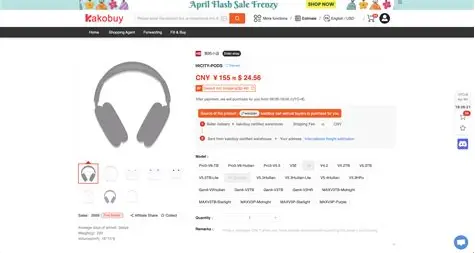
Open the variation selector and check whether the saved size, color or bundle still exists. Update the price for that exact option instead of copying the lowest number visible on the page.
If the original option has gone, mark the row inactive. Replacing it with a different seller should create a new record, not silently rewrite the history.
Old QC images can teach you what angles to request, but they do not describe the unit another shopper will receive. Label them as examples and keep new warehouse photos with the new order.
Never reuse a previous photo as proof of material, authenticity, certification or current condition.
Use current, needs review and inactive. A three-state system is easier to maintain than complicated scores that quickly become outdated.
Recheck high-interest rows more often and remove entries that repeatedly fail. The aim is a dependable research sheet, not permanent URL accumulation.
Yes. The seller, product, options or price may have changed.
No. They are examples only; review the current warehouse unit.
Use a clear review date and a simple current, needs review or inactive status.